Illustrative engineering scenario
This is a conceptual example of how we would approach a representative problem. It is not a published client project or a claim of delivered results.
The short version
A shared view is useful only when the source EHR remains authoritative and the patient can tell whether a booking is truly confirmed.
The decision in this scenario
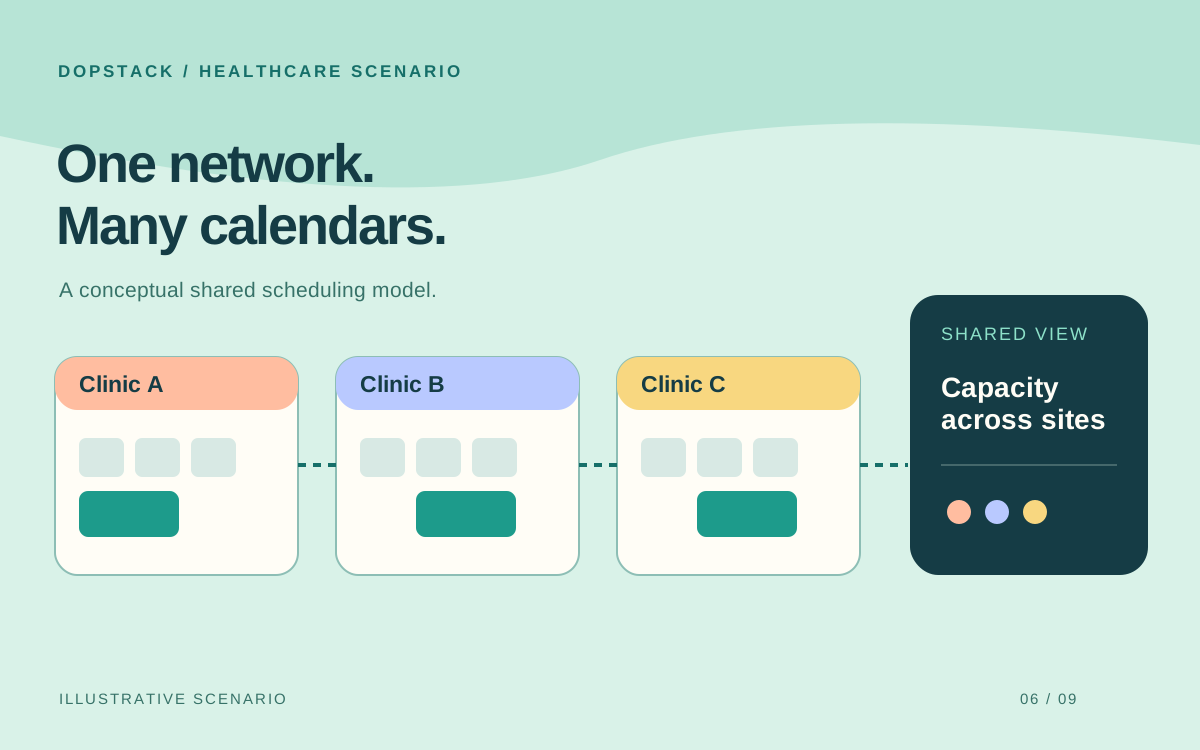
Imagine a clinic network in which each site manages appointments in a different EHR. A shared patient experience sounds attractive, but a central search result is dangerous if it mistakes a displayed slot for a bookable one. This scenario explores the integration problem; it does not describe an existing client network.
A defensible starting approach
We would define a common appointment view while leaving each clinic's EHR as the authority for its schedule. HL7 FHIR models Appointment, Schedule and Slot resources, but support varies by implementation; a shared model does not guarantee that every EHR exposes the same booking behavior. Start with one site's real workflow and verify the adapter against it.
Evidence: HL7 FHIR R4: Appointment
Illustrative architecture
Unify capacity without replacing every clinic system.
Patient experience
Distinguish available from confirmed
Shared scheduling
Capacity and access rules across sites
Clinic adapters
Connect the EHRs already in use
Separate availability from confirmed booking
A slot seen in a search result may be taken before the patient confirms it. The central service should distinguish a cached availability view from an accepted booking, then let the source EHR confirm or reject the request. If confirmation is delayed, show a truthful pending state rather than implying an appointment exists.
Map cancellation, rescheduling, time zones, clinician calendars and site-specific rules before expanding. A pilot that handles only new bookings may still leave staff with two conflicting views when appointments are changed elsewhere.
Evidence: HL7 FHIR R4: Appointment
Treat access and fallback as part of scheduling
The adapter must request only the data required for its job and respect the EHR's authorization model. SMART on FHIR uses scopes to communicate requested access, but the permissions actually granted can be narrower. Design for denied or filtered data instead of assuming every authorized user sees every record.
Roll out site by site with an explicit fallback when an adapter fails. The tradeoff is temporary inconsistency between sites; the alternative is a single launch that can make the whole network's schedule unreliable at once. Test with clinic staff before calling the new experience complete.
What the team would need to build and prove
- Shared appointment model with source-system identifiers and status
- Per-EHR adapters tested for booking, cancellation and rescheduling
- Authorization, audit logging and minimized patient-data access
- Availability freshness and reconciliation indicators
- Site-by-site rollout with a staffed fallback path
What success would mean
Success in this hypothetical scenario would mean patients receive accurate confirmation, staff can reconcile changes and each site has a working fallback. A network-wide dashboard alone would not prove scheduling is safe.
Technologies in this example
- Next.js
- Node.js
- PostgreSQL
- Azure
Sources & further reading
- HL7 FHIR R4: Appointment
Primary resource specification; actual EHR capabilities and workflows vary by implementation.
- HL7 SMART App Launch: Scopes and Launch Context
Primary authorization guide; requested scopes are not a guarantee of granted access.
Written by Dopstack Technologies
We design and build software, cloud infrastructure and AI workflows. These notes explain engineering decisions; illustrative scenarios are not claims of client results.
Meet the team