Kubernetes drain: restore the PDB health margin
A maintenance node can be ready to leave while its application has no room for another healthy Pod to disappear. Find which condition must recover.
Quick answer
When `kubectl drain` is blocked by a PodDisruptionBudget, restore enough healthy replicas for the next eviction before weakening the budget. Check the affected Pod, every matching PDB and replacement placement. A waiting drain can be enforcing the availability rule correctly. `--force` does not mean “ignore the PDB”; disabling eviction is a different operation.
On this page
When kubectl drain is blocked by a PodDisruptionBudget, restore enough healthy replicas for the next eviction before weakening the budget. Check the affected Pod, every matching PDB and replacement placement. A waiting drain can be enforcing the availability rule correctly. --force does not mean “ignore the PDB”; disabling eviction is a different operation. [1][3]
Which availability promise is stopping maintenance?#
Start with the healthy floor: would removing this particular Pod break the application's declared availability rule? A PodDisruptionBudget, or PDB, limits voluntary disruptions through the eviction path. It cannot prevent an involuntary node failure, although the resulting unavailable Pods still affect the remaining budget. [2]
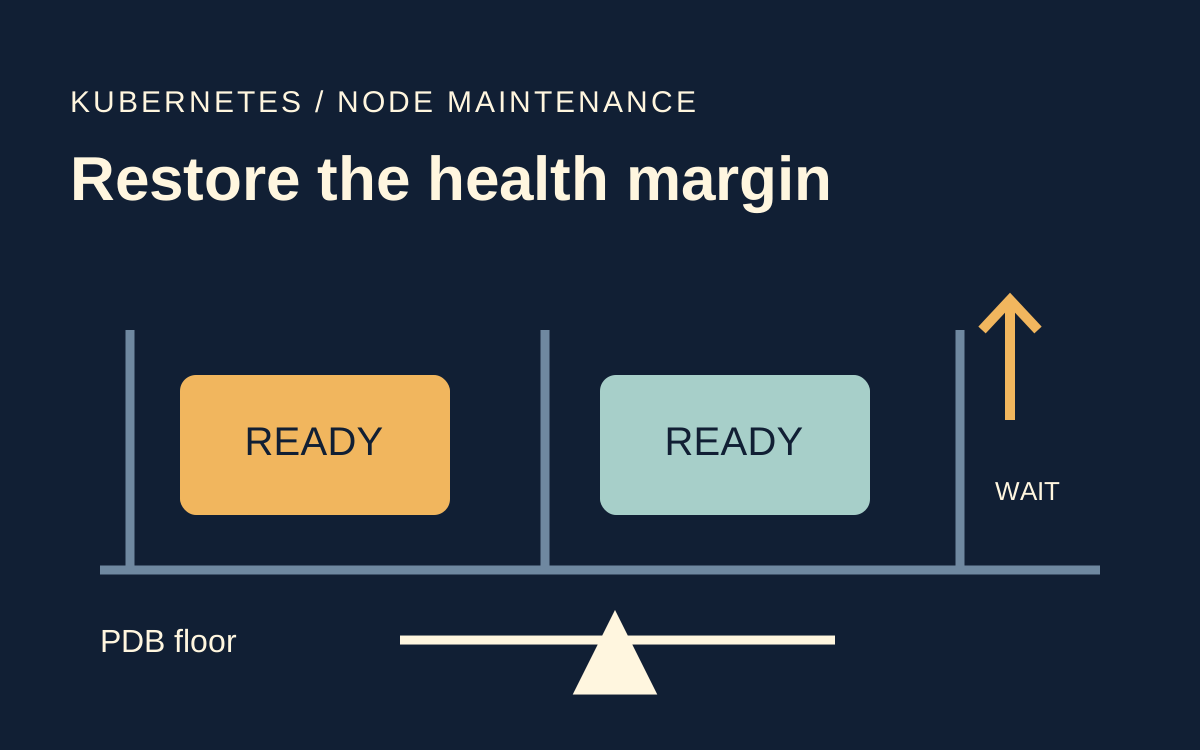
Scenario: an illustrative payments Deployment requests three replicas, with minAvailable: 2. Two Pods are Ready. The remaining Pod is Running but not Ready on another node. An operator starts draining the node hosting a healthy replica and receives “Cannot evict pod as it would violate the pod's disruption budget.” The desired replica count looks sufficient; current healthy capacity is not.
The protected floor expresses an application decision. It is not evidence that the application can actually serve traffic with that many instances. Before changing it, ask the workload owner whether it represents request capacity, quorum, a fault-domain requirement or an inherited default. Those answers lead to different maintenance plans.
Treat the rejected eviction as a useful stop signal. It says the next voluntary removal lacks the budget's permission at that moment. It does not identify why another replica is unhealthy, prove that extra capacity can be scheduled, or guarantee that the selector protects the correct Pods. Those are the investigation's next branches.
What should you capture before changing anything?#
Capture the target node's Pods, their ownership and readiness, then inspect the budgets in each affected namespace. Do not assume that a PDB with a familiar name is the one selecting the blocked Pod. Match its selector against the Pod's labels. The PDB task guide shows the status fields used to account for healthy and expected Pods. [1]
These commands read state. Replace the illustrative namespace, node and deployment names with the actual workload. A namespace can contain several unrelated budgets, so retain the full selector and status while deciding which objects matter.
kubectl get pods -A --field-selector spec.nodeName=worker-a -o wide
kubectl -n payments get pod -l app=payments -o wide
kubectl -n payments get deployment payments -o yaml
kubectl -n payments get pdb -o yaml
kubectl -n payments describe pod payments-unready
kubectl -n payments get events --sort-by=.metadata.creationTimestamp
Check status.observedGeneration alongside the PDB's current generation before treating status as the result of your latest change. Record currentHealthy, desiredHealthy, expectedPods and disruptionsAllowed. Then inspect conditions on the blocked Pod and the unhealthy replacement. These fields are evidence about the controller's current accounting, rather than a promise about future evictions. [1]
An apparently unexpected budget can also come from an overly broad selector or a mismatch between controller ownership and selection. Review all matching PDBs rather than reasoning from the first displayed row. Stop if the mapping is ambiguous. Correcting an accidental selector is a reviewed workload change, not a maintenance shortcut.
In the illustrative case, currentHealthy is two, desiredHealthy is two and disruptionsAllowed is zero. A healthy Pod cannot be evicted while preserving that floor. Adding a desired replica on paper does not change this result until a replacement becomes healthy. The status must be read again after the controller responds. [1]
| Illustrative observation | Interpretation | Next useful evidence |
|---|---|---|
| Healthy target, no disruption margin | Current availability equals the protected floor | Why another replica is not Ready |
| Extra replica remains Pending | Desired capacity has not become usable capacity | Scheduler events and node placement constraints |
| Running target is unready | Unhealthy eviction policy may matter | Pod phase, readiness and PDB policy |
| Eviction admitted, Pod still terminating | The budget gate has already been passed | Shutdown, storage and finalization evidence |
Can the replacement become healthy elsewhere?#
Restore or add usable capacity outside the maintenance node before retrying the healthy eviction. Start with the existing unready Pod. A failed readiness check may indicate a genuine dependency failure, a bad configuration or an application that has not completed startup. Removing the probe to manufacture a healthy count would defeat the purpose of the budget.
If the workload owner approves an extra replica, check whether the cluster can place it. Look at resource requests, affinity, topology constraints, taints and storage access. Capacity that exists only on the node being drained does not solve the maintenance problem. A cordoned node should not be the replacement's only viable destination.
Our decision rule for the illustrative stateless Deployment is to restore readiness first, then create a temporary additional replica only if the workload supports it and existing capacity permits placement. A singleton using an exclusive volume or an application with membership constraints needs a different plan. Do not assume that scaling is safe merely because the controller accepts a desired count.
Check per-node resource fit and usable Service endpoints become relevant. A replacement must get onto a suitable node, become Ready and enter the intended serving path. Each is a separate boundary. Read the replacement Pod, its node and its serving endpoint separately; the desired replica count cannot establish those outcomes.
Continue the illustrative case: the unready Pod has a configuration error. The application owner corrects it, and it becomes Ready outside worker-a. Read the PDB again. If it now allows an eviction, resume the maintenance operation and wait for the first replacement to become healthy before proceeding to another node. These are hypothetical outcomes, not a reported cluster test.
When does unhealthyPodEvictionPolicy change the answer?#
The unhealthy Pod eviction policy matters when the target itself is Running but not healthy. It does not grant permission to evict healthy Pods below the protected floor. Kubernetes documents IfHealthyBudget as the default and AlwaysAllow as a way to permit eviction of unhealthy Running Pods even when the budget's health criteria are not met. [1]
That distinction prevents a common misapplication. In our first branch, the blocked target on worker-a is healthy, while an unhealthy replica sits elsewhere. Changing to AlwaysAllow does not create a healthy-eviction allowance for worker-a. In another branch, the target on the maintenance node is itself stuck Running and unready. There the policy can change whether that target may be evicted. [1]
The following manifest is a candidate for an application owner to review, not a command to apply universally. It keeps the healthy floor while making the unhealthy-running-Pod decision explicit. The policy is documented as stable from Kubernetes v1.31; check the served API and your provider's supported behavior before changing it. [1]
apiVersion: policy/v1
kind: PodDisruptionBudget
metadata:
  name: payments
  namespace: payments
spec:
  minAvailable: 2
  unhealthyPodEvictionPolicy: AlwaysAllow
  selector:
    matchLabels:
      app: payments
Readiness is an operational signal, not a complete description of business value. An unready process might still be doing recovery work that the owner wants to preserve. Conversely, retaining a permanently broken Pod can stop maintenance without restoring service. Make the choice with the workload's recovery behavior in view, and retain the reviewed manifest as the decision record.
For percentage budgets, inspect the computed status rather than assuming a percentage translates to the integer you had in mind. Kubernetes rounds percentage-based availability calculations up. Small replica sets make the difference especially visible. Prefer an explicitly reviewed healthy floor when it communicates the application's maintenance requirement more clearly. [1]
Why are force, rollout and direct deletion different?#
The drain flags control different safeguards. --force allows drain to continue for Pods without a recognized controller or whose managing resource is missing. --disable-eviction uses deletion instead of eviction and bypasses PDB checking. They should not be treated as interchangeable ways to solve the same failure. [3]
Increasing a timeout is another distinct choice. It helps only if a replacement is likely to become healthy within that time. Waiting longer for an impossible placement or permanently failing readiness check preserves the symptom without changing its cause. Record what event is expected to unblock the drain before extending the maintenance window.
Application rollouts need separate availability controls. Kubernetes documents that unavailable Pods from an update count against the disruption budget, while workload controllers are not themselves limited by PDBs when performing rolling upgrades. A budget is therefore not a universal protection against every operation that can make a Pod unavailable. [2]
Directly deleting a Pod to get around a rejected eviction skips the decision you were trying to preserve. If an emergency requires accepting lower availability, make that a named incident decision with an application owner, expected impact and recovery plan. Do not disguise it as a routine retry of drain.
What proves the node can leave service?#
A completed drain proves that its included Pods have passed the relevant eviction and graceful termination steps. Kubernetes instructs operators to wait for the command to complete before operating on the machine. The safe-drain guide also explains the exclusions that must be considered. A disappearing error message alone is not completion. [3][4]
For this workload, retain evidence that the affected replicas serve from the intended replacement nodes, the PDB has recovered the required margin and the application's own checks pass. Verify a real request path or an approved synthetic transaction. A readiness condition cannot establish every business dependency.
A drain timeout also needs reconciliation. The command may stop while some Pods have already moved and the node remains cordoned. Read the current node and Pod state before restarting the operation or returning the node to service. Do not assume a timed-out command reversed the earlier evictions. Preserve the observed state in the maintenance record and make the next action fit what actually remains.
If maintenance is abandoned, decide whether to uncordon the node and restore any temporary scaling. Avoid leaving these changes implicit. If maintenance proceeds, observe replacement health between nodes and pause on unexpected regressions. The fixture and manifest here establish the reasoning to rehearse; they do not verify your storage, scheduler or application shutdown in a live cluster.
Frequently asked questions#
- Does a PDB protect against a node crash?
- No. A PDB cannot prevent an involuntary disruption such as a node failure. The affected unavailable Pods still reduce the margin for subsequent voluntary evictions. Restore current health before assuming that the maintenance budget remains available. [2]
- Will drain --force ignore my budget?
- No. The force flag handles Pods lacking the expected controller relationship. Disabling eviction is the separate option that bypasses PDB checking. Read the exact flag behavior before using either during a maintenance operation. [3]
- Does AlwaysAllow permit evicting healthy replicas freely?
- No. Its documented exception concerns Running Pods that are not healthy. Healthy Pod evictions still have to satisfy the PDB. Identify the readiness of the particular blocked target before deciding whether the unhealthy eviction policy addresses the problem. [1]
- Is scaling up always the safest repair?
- No. An additional replica helps only when the application supports it and the scheduler can place it on suitable capacity. A Pending replica or an application with exclusive storage may leave the health margin unchanged. Recheck actual readiness and PDB status after the change. [1]