S3 presigned URL expiry: fix the download contract
The download link says tomorrow. The credentials behind it may expire this morning. Design the report access window around both clocks.
Quick answer
An S3 presigned URL can stop working before its requested expiry because the signing credentials expire first, their permissions change, or a policy rejects the request. Treat the URL's configured lifetime as an upper bound. For delayed downloads, send an application link that rechecks authorization and creates a fresh, short-lived S3 URL when the user is ready.
On this page
An S3 presigned URL can stop working before its requested expiry because the signing credentials expire first, their permissions change, or a policy rejects the request. Treat the URL's configured lifetime as an upper bound. For delayed downloads, send an application link that rechecks authorization and creates a fresh, short-lived S3 URL when the user is ready. [1][3]
Which clock does your product promise follow?#
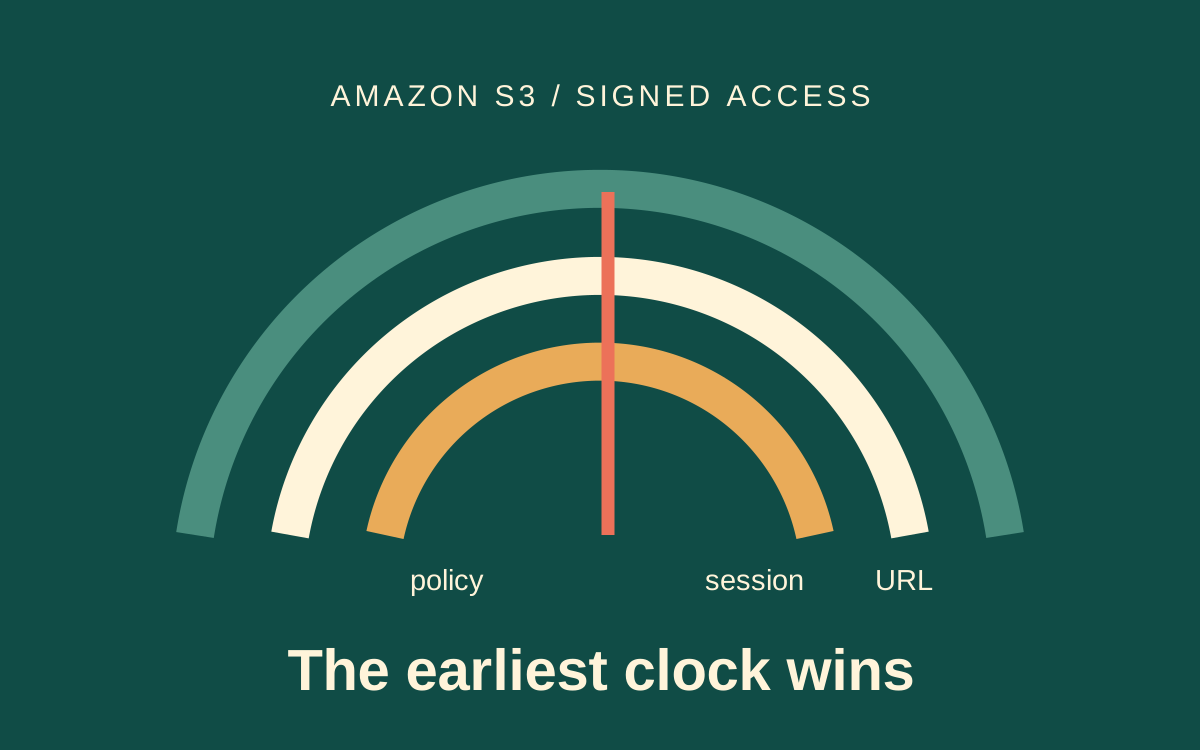
Decide whether the product promises access to a report or continued use of a particular signed URL. A report can remain available after the credentials behind an earlier URL expire. AWS documents that a presigned URL is limited by both its configured expiry and the credentials used to sign it. The shorter lifetime wins. [1]
Scenario: an illustrative report service emails a download link at nine in the morning. The signer requests a day-long URL, but its temporary role credentials expire at ten. A recipient clicks at lunchtime and receives an expired-token error. The object still exists. The URL is only a time-limited permission to download it. [4] The application has confused a requested signature duration with a reliable product access window.
A bucket policy limiting signature age creates another deadline. The request can become unacceptable even earlier. Permissions, object availability and the network path can also change independently. This means that even a correctly calculated time bound cannot guarantee successful access. It can only describe how long an otherwise authorized request might remain eligible. [1][3]
Keep these meanings separate in the API. requestedExpiresIn describes what the caller asked for. signatureExpiresAt describes the signature's configured deadline. credentialExpiresAt, when actually known, describes the signing session. A user-facing “available until” field should not silently copy the first value and claim that the rest no longer matter.
This is not an argument for exposing credential details to recipients. The application can retain a sanitized expiry decision and diagnostic identifier internally. The recipient needs a useful access path and a recoverable message. Sending session tokens, access keys or the entire presigned URL to an analytics service creates another problem without solving expiry.
How do you distinguish expiry from another access failure?#
Read the response code and the structured S3 error before generating a replacement link. A browser-visible forbidden response alone does not establish that the URL expired. Method mismatches, signed-header differences, signature problems and current permissions can also deny access. AWS's user guide discusses expiry and presigned request troubleshooting separately. [1]
Capture a request identifier, the intended HTTP method, the signing region, the relevant safe expiry metadata and the error code. Redact the URL's credential, security-token and signature parameters from ordinary logs. A request URL is an access capability; preserving it verbatim in a ticket can give everyone who reads the ticket access to the object. [3]
The following diagnostic map is our operational interpretation of the documented boundaries. It is a starting point for investigation, not a claim that every storage or proxy response uses identical wording. Follow the actual error body and the provider's current documentation.
| Evidence | Likely boundary | Useful next check |
|---|---|---|
| Expired-token error | Signing session | Issuer-side credential expiry and credential provider behavior |
| Request-expired error | Configured signature life | Signing timestamp, duration and caller clock |
| Signature mismatch | Signed request differs | Method, region, encoding and required headers |
| Access denied while clocks remain valid | Authorization or policy | Current principal permission, policy and network restriction |
Compare failures at object access with failures at link issuance. A service can successfully generate a signed URL without making the later object request. That does not establish that its principal currently has the intended object permission. Test the requested operation with the same authorization assumptions; do not substitute a privileged console download and declare the URL valid.
Also check whether a proxy or email security product has rewritten the request or pre-fetched the link. Those are hypotheses to test at your own boundaries, not documented causes for every failure. A presigned URL can be used repeatedly while valid; it is not intrinsically a single-use ticket. If your product requires single use, enforce that in another layer. [1][3]
Calculate an honest upper bound#
If your issuing service knows the signing session's actual expiry, calculate the earliest applicable time boundary and leave a deliberate margin. Include a known signature-age policy cap if your service owns that policy. Do not infer a session expiry by guessing how long a particular role normally lasts. AWS's SDK article explicitly warns that expiresIn does not extend temporary credentials. [2]
This pure function expresses an application policy. It does not parse a session token, call AWS or guarantee access. Inputs must come from the actual credential result and reviewed policy. The safety margin absorbs a small known scheduling or clock allowance; it cannot compensate for revoked credentials or a later permission change.
from datetime import datetime, timedelta

def advertised_upper_bound(now, requested_seconds,
                           credential_expires_at,
                           policy_cap_seconds=None,
                           safety_seconds=30):
    if now.tzinfo is None:
        raise ValueError("timezone-aware now required")
    if credential_expires_at is None:
        raise ValueError("credential expiry unknown")
    if credential_expires_at.tzinfo is None:
        raise ValueError("timezone-aware expiry required")
    if requested_seconds <= 0 or safety_seconds < 0:
        raise ValueError("invalid lifetime")
    bounds = [now + timedelta(seconds=requested_seconds),
              credential_expires_at]
    if policy_cap_seconds is not None:
        if policy_cap_seconds <= 0:
            raise ValueError("invalid policy cap")
        bounds.append(now + timedelta(seconds=policy_cap_seconds))
    result = min(bounds) - timedelta(seconds=safety_seconds)
    if result <= now:
        raise ValueError("insufficient remaining lifetime")
    return result
Scenario: give the function a signing time of 09:00, requested duration of 86400 seconds and credential expiry of 10:00, all on the same UTC date. Without a shorter policy cap, its advertised bound is 09:59:30 using the illustrative margin. That arithmetic is a local contract test, not an observation of AWS credential rotation.
An unknown expiry is deliberately an error in this particular contract. Another product could issue a short-lived URL while describing its expiry as conditional. What it must not do is advertise a credential-backed guarantee without the needed information. Decide that behavior explicitly and test the client path when the issuer cannot provide a reliable bound.
Refreshing credentials before signing helps a new request when the provider can obtain valid replacements. It does not rewrite URLs already emailed to users. Those URLs remain associated with the credentials that signed them. Temporary credentials cannot be extended beyond their original interval. [5] Fix the issuance contract and the delayed-use path together rather than assuming that a healthy current role session repairs historical links. [1][2]
Move authorization to the moment of download#
For a report that may be downloaded much later, make the email link identify an application resource or an expiring application ticket. When clicked, the service checks the recipient's current access, locates the report and signs a short-lived object request. Our recommendation is to keep the durable product access window at this layer, where it can be re-evaluated.
The link endpoint also needs a clear response contract. If the report is still being generated, return that state rather than minting a URL for a key that is not ready. If the report has been removed, distinguish that outcome from a temporary signing failure. Give the client a stable report identifier and a safe diagnostic reference; avoid asking users to paste the signed URL into a support form.
The access check must belong to the user and the report. A logged-in user possessing another tenant's report identifier should not receive a new object capability. If you use an emailed ticket instead of login, define its scope, storage, revocation and replay behavior. Do not build a permanent public signing endpoint that accepts arbitrary bucket names and keys.
After authorization succeeds, generate a URL for the precise method and object. The AWS JavaScript SDK article demonstrates presigning commands and discusses signed upload requirements. Download and upload contracts should be reviewed separately; a repair for a report's GET link does not establish a safe multipart upload recovery design. [2]
For large downloads, allow the client to request a new authorized URL when a retry needs one. AWS checks expiration when the HTTP request starts. A download started before expiry can continue, while a new request after expiry can fail. A resumed or restarted connection therefore deserves its own test, even when an uninterrupted download succeeded. [1]
This design adds an application request and makes that endpoint part of download availability. It also creates a place to check revoked access and avoid long-lived capabilities sitting in mailboxes. If the application is unavailable when the user clicks, the report may be inaccessible even though object storage is healthy. Include that trade-off in the service's availability design.
What should the acceptance test deliberately break?#
Test the product's promised access path across credential and policy boundaries, not just immediately after signing. The pure function is suitable for local arithmetic tests. The storage behavior still requires a controlled AWS environment using the actual credential provider, bucket policy and client request. No live AWS access is demonstrated by the arithmetic example.
In a disposable environment, request a URL whose configured duration exceeds the actual signing session. Record the session deadline from the issuer. Confirm that the application describes the bound honestly and that its download endpoint can issue a new authorized URL later. Use a harmless fixture object and keep the signed URL out of persistent test output.
Test access revocation independently. Revoke the application user's report permission and confirm that the application endpoint refuses to mint another URL. Then review what happens to already-issued URLs under your AWS authorization policy. Application revocation and object capability revocation are different controls; AWS's prescriptive guidance describes how current permission state affects a presigned request. [3]
Check an unknown expiry, an almost-expired session, a shorter signature-age cap, an invalid method and a restarted download. For each case, define the user-visible outcome and whether retry is appropriate. Repeatedly minting a new URL will not repair a principal that lacks access. A useful failure message should distinguish “get a fresh link” from “request access.”
An object lookup error deserves a separate branch. If you are investigating whether the key exists, the S3 HeadObject diagnosis explains why a forbidden response can be ambiguous. [1] If the report is generated asynchronously, the transactional outbox guide covers the separate problem of reliably delivering the notification after the report's state change.
Frequently asked questions#
- Does expiresIn extend a temporary signing session?
- No. The requested URL duration does not extend the credentials used to sign it. A presigned request expires when those temporary credentials expire, even if the requested URL lifetime is longer. Obtain real session-expiry information rather than assuming the requested duration is guaranteed. [1][2]
- Does rotating to fresh credentials repair an old URL?
- No. A newly issued URL can use refreshed credentials, but the old URL remains tied to its original signing credentials. If users click links long after issuance, provide a controlled application path that can check access and generate a fresh capability. [1]
- Is a presigned download URL single use?
- No. AWS documents that presigned URLs may be used repeatedly while valid. Enforce single-use behavior elsewhere if the product requires it, and define how retries and interrupted transfers interact with that rule before presenting it as a security guarantee. [1][3]
- Will a transfer stop exactly when its URL expires?
- Not necessarily. S3 checks expiry when the HTTP request begins. An already-started download can continue beyond that time, while a restarted request after expiry can fail. Test the client's retry and resume behavior instead of relying on an uninterrupted transfer alone. [1]