Copilot assisted permissions GA: design the pilot
GitHub’s 26 October release adds assisted permission review. Pilot its effective restrictions and fallback behavior before expanding delegation.
Quick answer
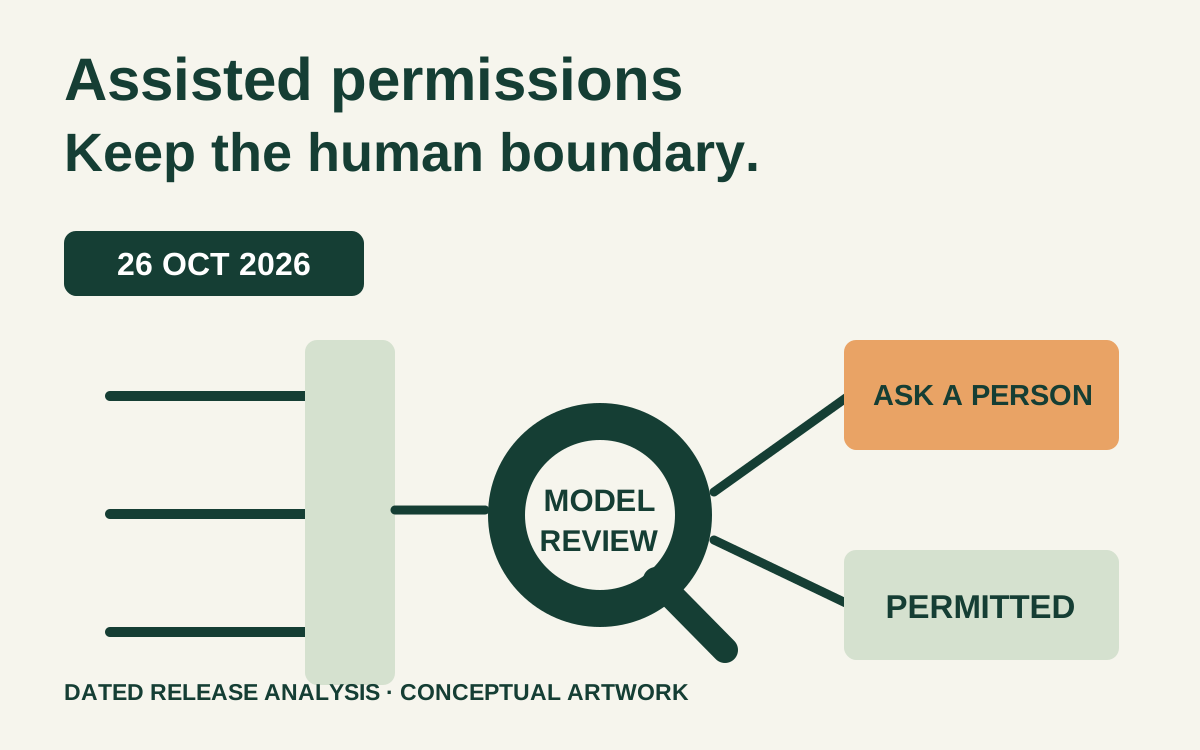
GitHub announced general availability of Copilot assisted permissions on 26 October 2026 for Copilot CLI, the Copilot app and Visual Studio Code. The feature uses a model to assess eligible permission requests and lets requests classified as clearly safe proceed automatically. Treat adoption as a permission-policy change: pilot the effective controls, preserve required human decisions, and verify what happens when the assisted path is unavailable. [1][2]
On this page
GitHub announced general availability of Copilot assisted permissions on 26 October 2026 for Copilot CLI, the Copilot app and Visual Studio Code. The feature uses a model to assess eligible permission requests and lets requests classified as clearly safe proceed automatically. Treat adoption as a permission-policy change: pilot the effective controls, preserve required human decisions, and verify what happens when the assisted path is unavailable. [1][2]
This is dated release analysis, researched on 27 October. It explains the announced mechanism and a proposed engineering evaluation. It does not certify a particular organization’s configuration, report a measured safety rate or promise that every client has the same effective settings. Check the current documentation and your supported client version when carrying out the pilot. [1]
The practical question is not simply whether fewer approval prompts appear. It is whether the requests that still need a person remain visible, while routine permitted work can finish without granting the agent broader authority than the task requires.
What changed on 26 October?#
The announcement describes a middle permission mode for three named clients. In CLI, the published entry point is /permissions; the app and VS Code expose their own permission pickers. An administrator can control assisted and allow-all modes separately, and choose a default mode for new sessions. [1]
The distinction matters. An assisted decision is an evaluation of an eligible request in its task context. It is not the same arrangement as allowing every tool action unconditionally. Existing deny rules and enterprise restrictions continue to matter, while already allowed operations may not need a fresh model review. [2]
Those statements describe the documented permission flow. They do not establish that a model can identify every dangerous command, that a test script has no side effects, or that a repository’s contents are trustworthy. The organization must still decide which actions may be delegated and which outcomes need explicit review.
Avoid making the rollout a contest between teams with different prompt counts. One repository may have well-defined local tests and little network activity; another may run deployment tooling with powerful credentials. Fewer prompts in the second repository can represent a different risk decision rather than a better implementation of the same workflow.
Which decision should remain outside the assisted lane?#
Scenario: a platform team wants Copilot to investigate test failures in a disposable checkout. It may read the source, edit a patch and run the project’s known local checks. The team still wants a person to authorize changes that affect shared infrastructure, external data or a production release.
Write the task’s authority boundary before selecting the permission mode. Define the task’s allowed output, the environment, the available credentials and the operations that must remain blocked or require a fresh approval. Choose those boundaries from the project, not from the generic name of a command.
For example, npm test is only as contained as the repository’s scripts and dependencies. A test script can connect to a database or invoke a shell command. The pilot should inspect the script and run in an environment whose credentials and network access match the intended task. A model’s favorable assessment cannot replace that environment boundary.
The same applies to file access. Reading a repository fixture can be routine; reading a home-directory credential file is a different action even if both use a file tool. Separate what the agent needs to produce the patch from what the developer’s logged-in session happens to expose.
The team’s initial decision could be: allow a bounded investigation in a synthetic repository; keep external publication outside the task; require a person for the approved release step; and provide no production credentials to the pilot. That decision remains useful if the UI changes, because it describes authority and evidence rather than a screenshot.
What do the managed settings actually control?#
GitHub’s managed-settings reference separates disabling bypass mode, disabling assisted mode and choosing a default. A default selects the starting mode; it is not itself a lock that prevents every other permitted session choice. The reference also documents deny, ask and allow rules with precedence and client-specific applicability. [3]
The following is an illustrative fragment for discussion, not a complete enterprise deployment file. The selectors deliberately describe a small lab boundary. Adapt them only after checking the current schema, supported client and your existing managed policy.
{
  "permissions": {
    "disableBypassPermissionsMode": "disable",
    "disableAssistedPermissionsMode": false,
    "defaultMode": "assisted",
    "deny": [
      "Read(~/.ssh/**)",
      "Domain(unapproved.example)"
    ],
    "ask": [
      "Shell(git push *)"
    ]
  }
}
The fragment expresses three different intentions: prohibit bypass mode, make assisted available as a default, and retain particular deny/ask decisions. It does not confine every process launched by every client, discover all secret paths or define a complete network boundary. A filesystem or process sandbox and the operating system’s credentials remain separate parts of the environment design.
Do not paste this fragment over an existing enterprise file. Inventory the effective policy sources and merge through the organization’s management process. An omission can mean something different from an explicit restriction, and a user-visible picker can show only part of the overall policy state. Record the denied tool result as well as the managed settings file.
Also test a freshly started session and a resumed one. A default intended for new sessions should not be confused with a claim that every existing session has silently changed modes. Record the client, revision, startup path and observed mode so another engineer can reproduce the result.
How should the pilot distinguish safety from convenience?#
Use a fixed set of harmless tasks in a disposable repository. Each case should name the requested operation, the expected authority decision and the observable result. Use synthetic files and a controlled destination; do not probe a real credential or perform a real deployment to discover whether the policy would stop it.
| Lab case | Policy expectation | Evidence to retain |
|---|---|---|
| Read a small source fixture | Permitted task work can proceed | Tool/path and resulting source observation |
| Run the reviewed local check | Work follows the selected permission flow | Command, effective mode and outcome |
| Request a synthetic denied path | Denial remains effective | Denial record; fixture remains unread |
| Request an operation covered by an ask rule | Fresh human decision is retained | Approval prompt and no action before approval |
| Start with an unavailable assisted mode | Defined fallback or failure is visible | Startup warning, mode and attempted-action result |
| Resume an earlier lab session | Current restrictions still apply | Session origin and observed permission behavior |
Do not assign a required auto-approval result to every benign-looking command. Assisted review is contextual; the same command text can run against different files or invoke different behavior. The deterministic assertions in the pilot are the required restrictions, the absence of unintended effects and the visibility of unresolved decisions.
Measure task completion separately from prompt reduction. Record whether the agent produced a useful patch, whether the checks ran, and whether a denied request led to a safe alternative or an incomplete task. A run that stops safely can be the correct permission result while still needing a better engineering workflow.
Include a negative control for the evaluator itself. Present a request that clearly falls under a managed deny or ask rule, using a harmless synthetic operation. If the pilot records only the agent’s prose claim that it was blocked, inspect the actual tool result and verify the fixture. The action record, not the assistant’s description, establishes what happened.
Keep the evaluation small enough that someone can read every case. A large aggregate success percentage can conceal one boundary crossing that matters more than many successful file reads. This article proposes no safety benchmark or acceptance rate; the organization should choose release criteria tied to its own prohibited outcomes.
What changes when nobody is available to approve?#
The documented CLI non-interactive path needs separate evaluation. GitHub describes assisted approval for unattended runs and explains that requests still requiring a person are denied rather than waiting for a response. It also documents interactions with separate broad path, URL and tool grants. Mixed allow-all flags can leave access broader than the operator intended. [2]
That makes the launcher part of the policy review. Inspect the complete invocation, wrapper scripts and environment rather than one flag copied into a configuration document. The intended assisted setting and an old permissive argument can coexist in ways the team did not mean to authorize.
For the platform-team scenario, first pilot interactively with synthetic cases. If unattended operation is later required, give it a distinct decision record: which repository, what output, which credentials, what runtime bounds, where incomplete work is preserved, and how a permission denial becomes an actionable result. Do not inherit the interactive acceptance result automatically.
A denied request must not trigger an escalation loop that tries unrelated credentials or progressively broader modes. Preserve the partial patch, report the specific missing action and return control to the defined owner. The automation’s success contract should distinguish completed work, a safe partial result and a failed run.
Similarly, review the logs without turning observability into unnecessary disclosure. Tool arguments and output can contain paths, source text or secrets. Decide what evidence is necessary for permission diagnosis and apply the organization’s existing log access and retention rules. More captured content is not automatically better review evidence.
What would justify expanding the pilot?#
First, the team can explain the effective boundaries and reproduce the negative cases. Second, the useful task completes under those boundaries often enough to justify the workflow. Third, the operating environment has an owner who can update clients, review policy changes and respond when an action is denied or misclassified.
For the illustrative test-failure task, preserve a compact record: repository revision, client version, effective mode, managed policy revision, synthetic task IDs, tool outcomes, resulting patch and unresolved actions. Compare the produced patch with the intended scope. A permission-safe run can still make a logically incorrect code change, so code review remains a separate acceptance step.
Add another repository before adding a new class of authority. Add another repository with similar task and environment constraints before adding production credentials or external publication. A successful local investigation does not authorize a deployment agent. The person approving expansion should see exactly which new authority the next phase introduces.
Rollback should be operationally simple: stop starting new pilot sessions, select the approved manual path, preserve useful partial work and investigate the event. Confirm how resumed sessions and cached policy interact with the organization’s actual management mechanism. Do not write a rollback procedure that assumes a default setting instantly rewrites every session.
Revisit the evaluation after client or policy changes that affect permission behavior. Retain old results as historical observations and label the new version. A successful fixture on yesterday’s runtime is evidence about that runtime, not a standing certification of every future release.
For the application-side authority model, see who an AI agent can act for. For repository execution boundaries, the GitHub Actions supply-chain guide covers a different part of the tooling path.
- Is assisted permissions the same as allow-all?
- No. The announced mode evaluates eligible requests and automatically approves those judged safe, while other requests still need approval. Existing restrictions remain part of the permission flow. Review the complete settings and invocation rather than relying on the mode’s label alone. [1][2]
- Which clients are named in the GA announcement?
- The 26 October announcement names GitHub Copilot CLI, the GitHub Copilot app and Visual Studio Code. This dated analysis does not claim identical UI, version requirements or managed-setting coverage across all sessions in those clients. [1][3]
- Does defaultMode prevent users choosing another mode?
- The managed-settings reference describes it as a default, not a locked mode. Use the documented restrictions for modes the organization intends to prohibit, and verify the effective result in the supported client. [3]
- Does this replace code review or a process sandbox?
- No. Permission review, code correctness and runtime containment answer different questions. A permitted command can produce a bad patch, and a well-reviewed patch can be created in an overprivileged environment. Define and test each acceptance boundary separately.